For too many families, the first honest answer to "are they ready for the 11+?" arrives on results day. SharpY Mind shows you where your child stands, every day, from Year 3 to Year 5.
1 min 15 sCaptions on screen, works on muteEvery screen is the real app
Jump to the part of the video you care about
Exam Path
A plan from today to exam day Free for 14 days, then Premium
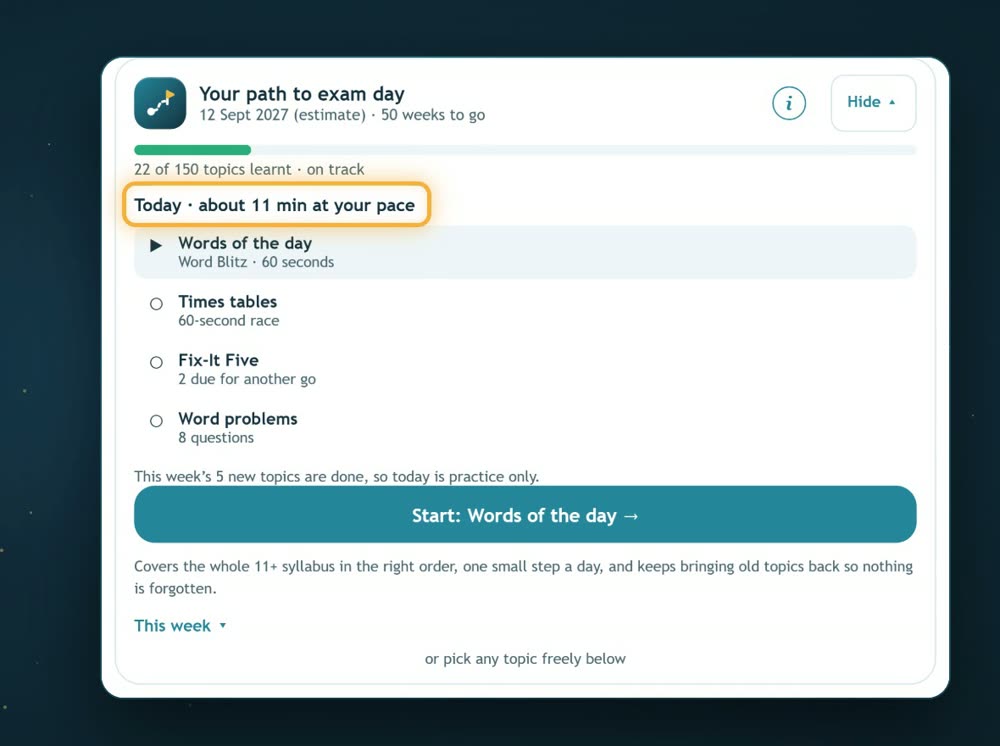
Pick your child's target school and exam date. SharpY Mind builds the path: one short session a day, in the right order, covering what that school's exam actually tests.
Shows the weeks to go and whether you're on track
Brings older topics back so nothing is forgotten
Around 60 schools listed, grouped by the exam they really use
After every wrong answer
The method, and why the trap looked right
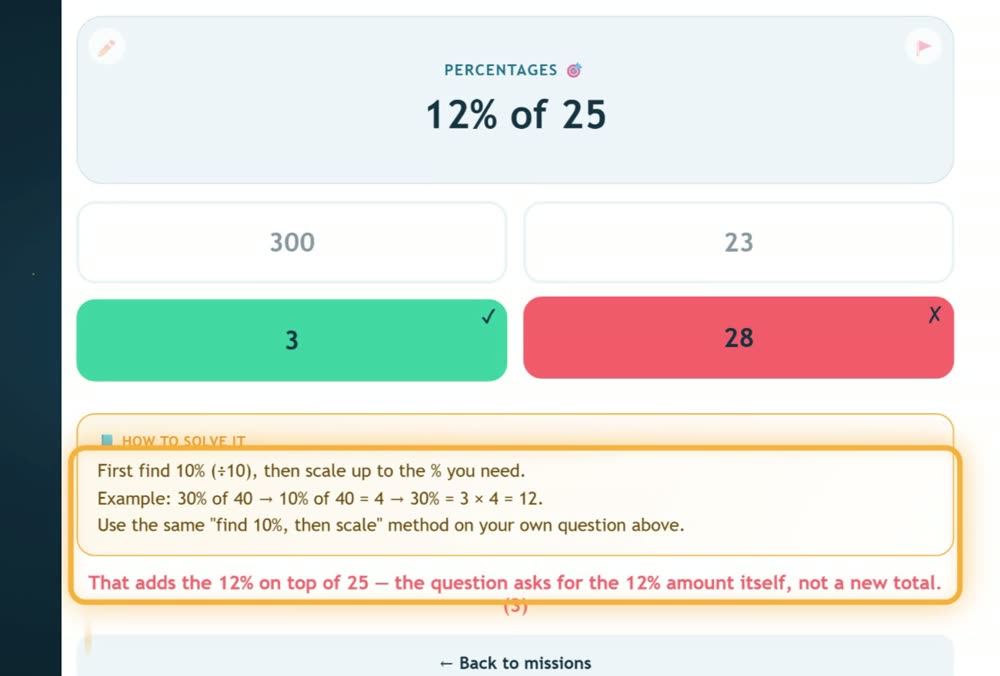
A wrong answer isn't just marked wrong. Your child sees how to solve it and what the question was trying to trick them into, like a tutor sitting beside them.
"I need help" gives a clue first, then the full method
Explanations name the exact trap, such as adding the percentage on top
3-minute lessons for topics they haven't met yet
Short lessons
Learn a tricky topic in about 3 minutes
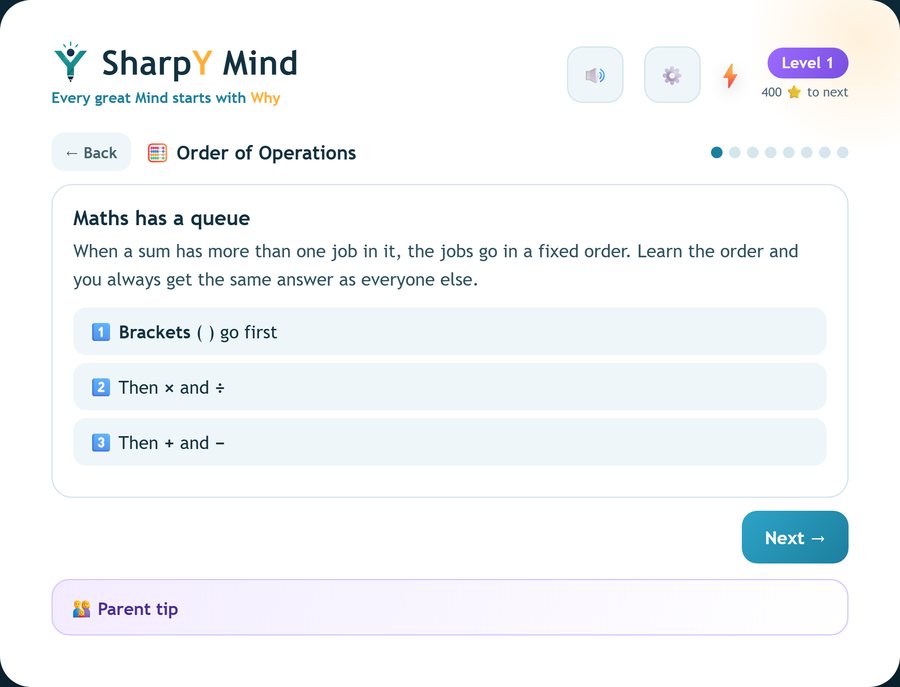
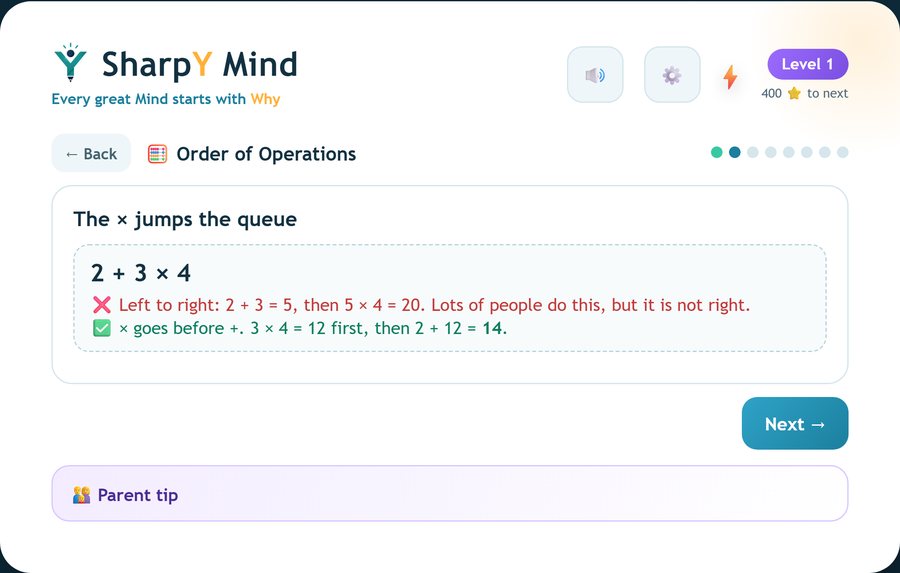
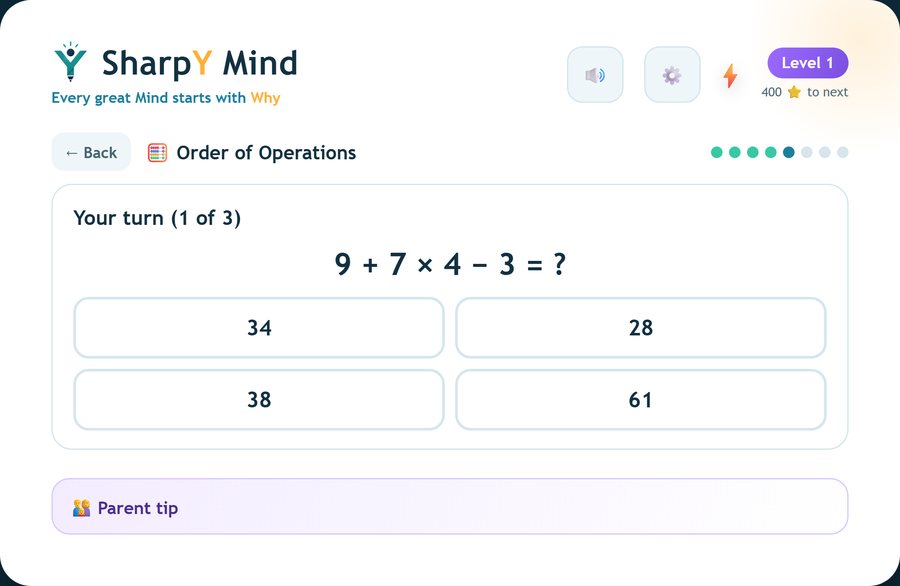
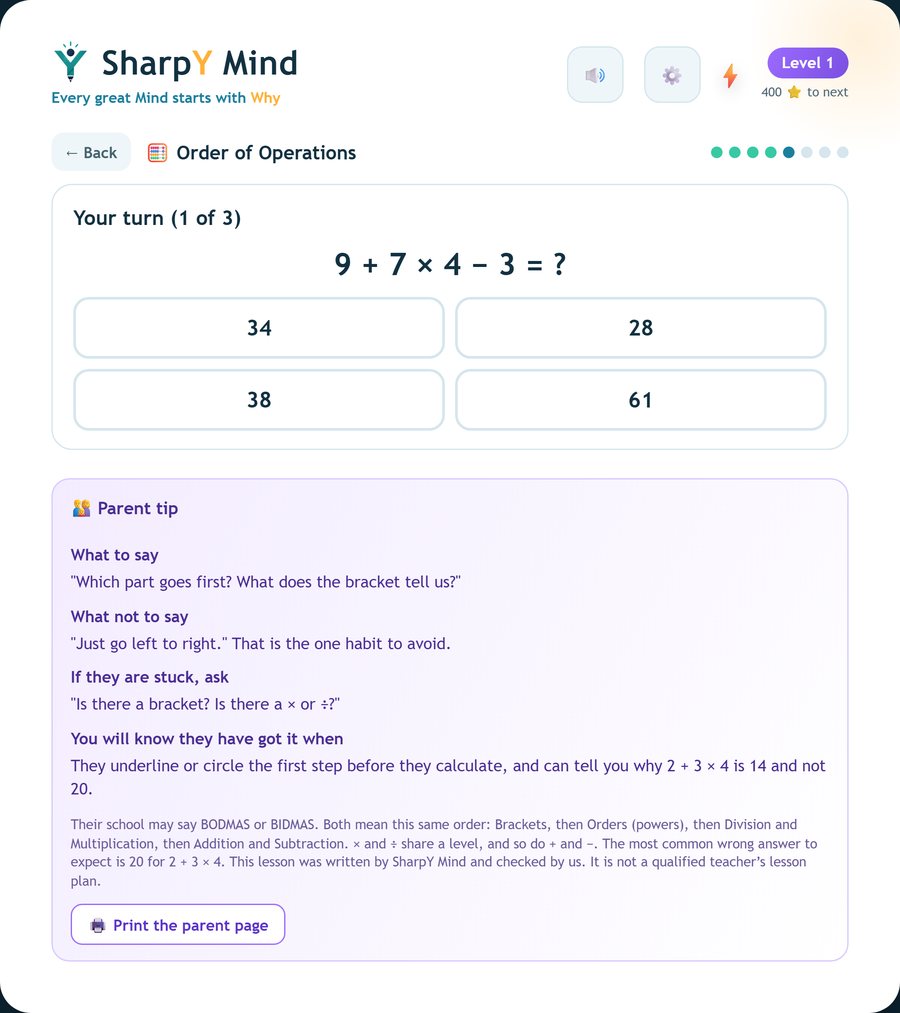
Some topics need teaching first, not just practice. A short lesson gives the idea, shows the mistake everyone makes, then lets your child try three questions. You get a plain-English parent tip as well.
1The ideaOne small card, in child-sized words.2The trap, shownThe common wrong way in red, the right way in green.3Your turnThree quick questions, with a kind hint if they slip.4A tip for youWhat to say, what not to say, and how you will know they've got it.
Order of OperationsRatioAlgebra: find xMean, Mode and Range% Increase and DecreaseDividing Fractions
Find a lesson from the "3-minute lesson" button on a topic, or when the app notices a hard round. Written by SharpY Mind, not a qualified teacher's lesson plan.
After every round
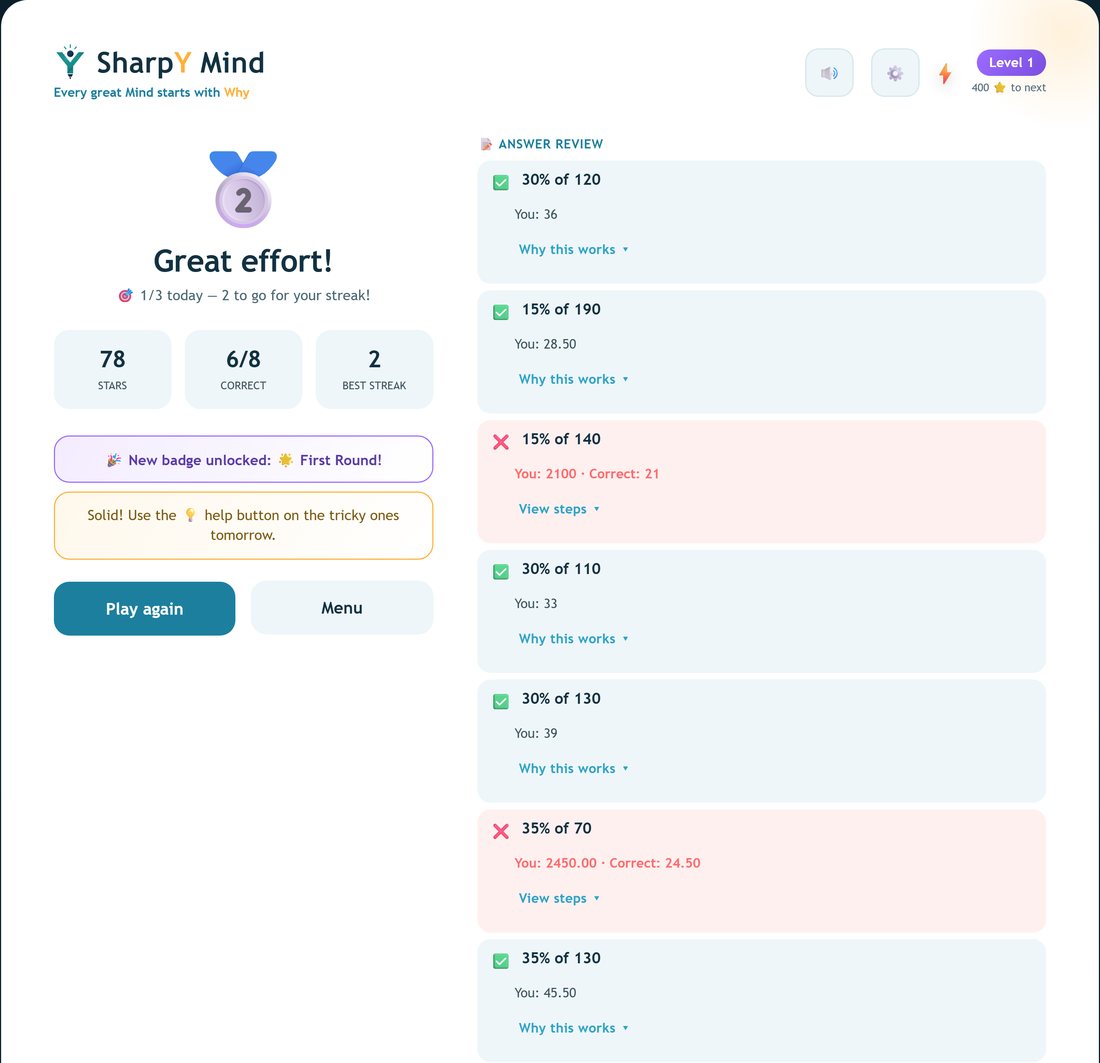
A summary page that explains the right answers and the wrong ones
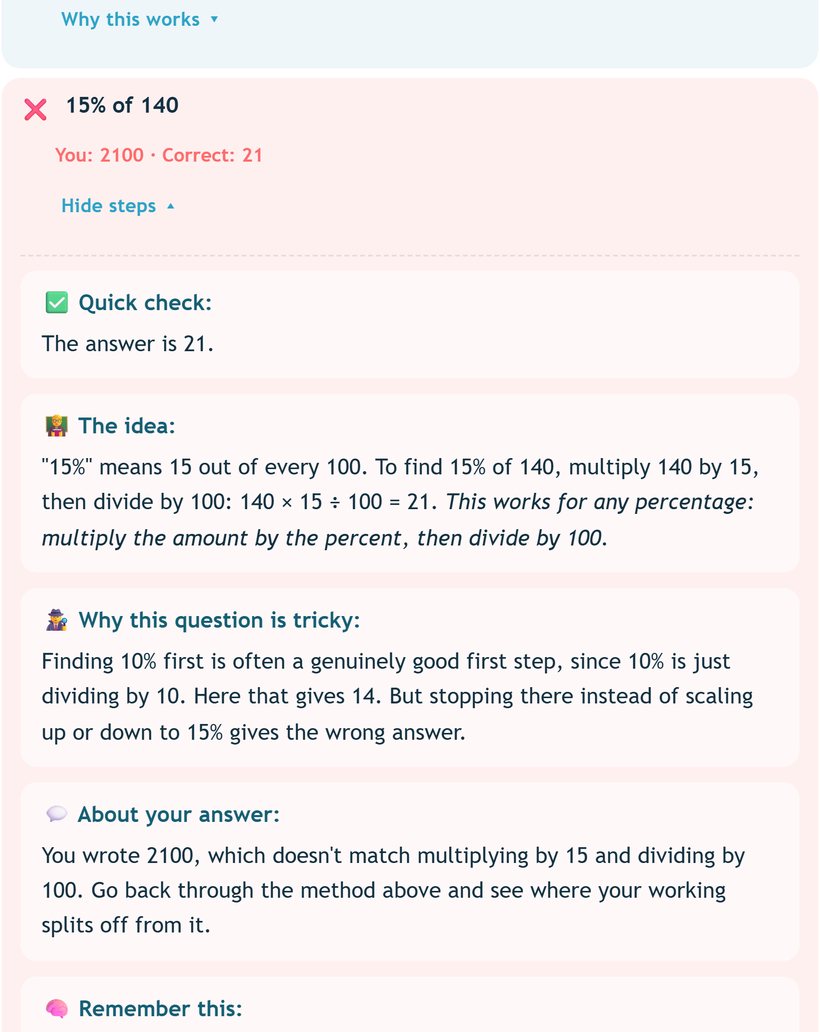
The end of a round isn't just a score. Every question is listed. Tap a right answer to see why it works, or a wrong one to see exactly where the thinking went off.
The summary. Stars, score, streak, and every question in one list. Green ticks for right, red crosses for wrong.A wrong answer, opened. The correct answer, the idea, why the question is tricky, what their answer shows, and what to do next time.
Right answers say why they work, so a lucky guess doesn't hide a gap
Wrong answers get a worked method plus a note on the specific slip
Tricky ones feed Fix-It Five, so they come back until fixed
For parents
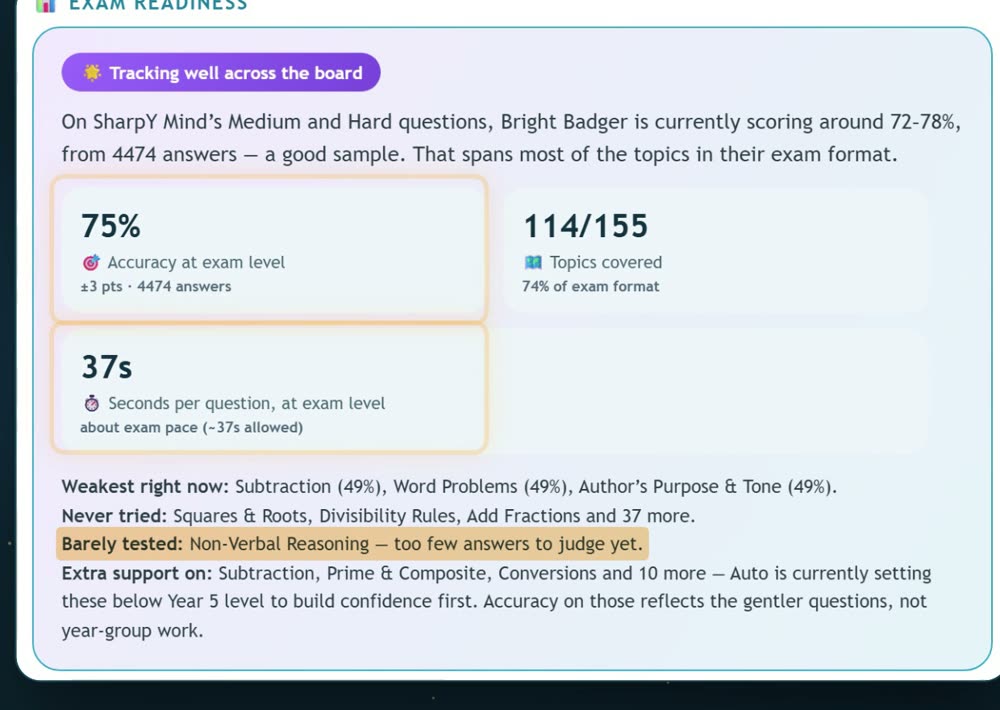
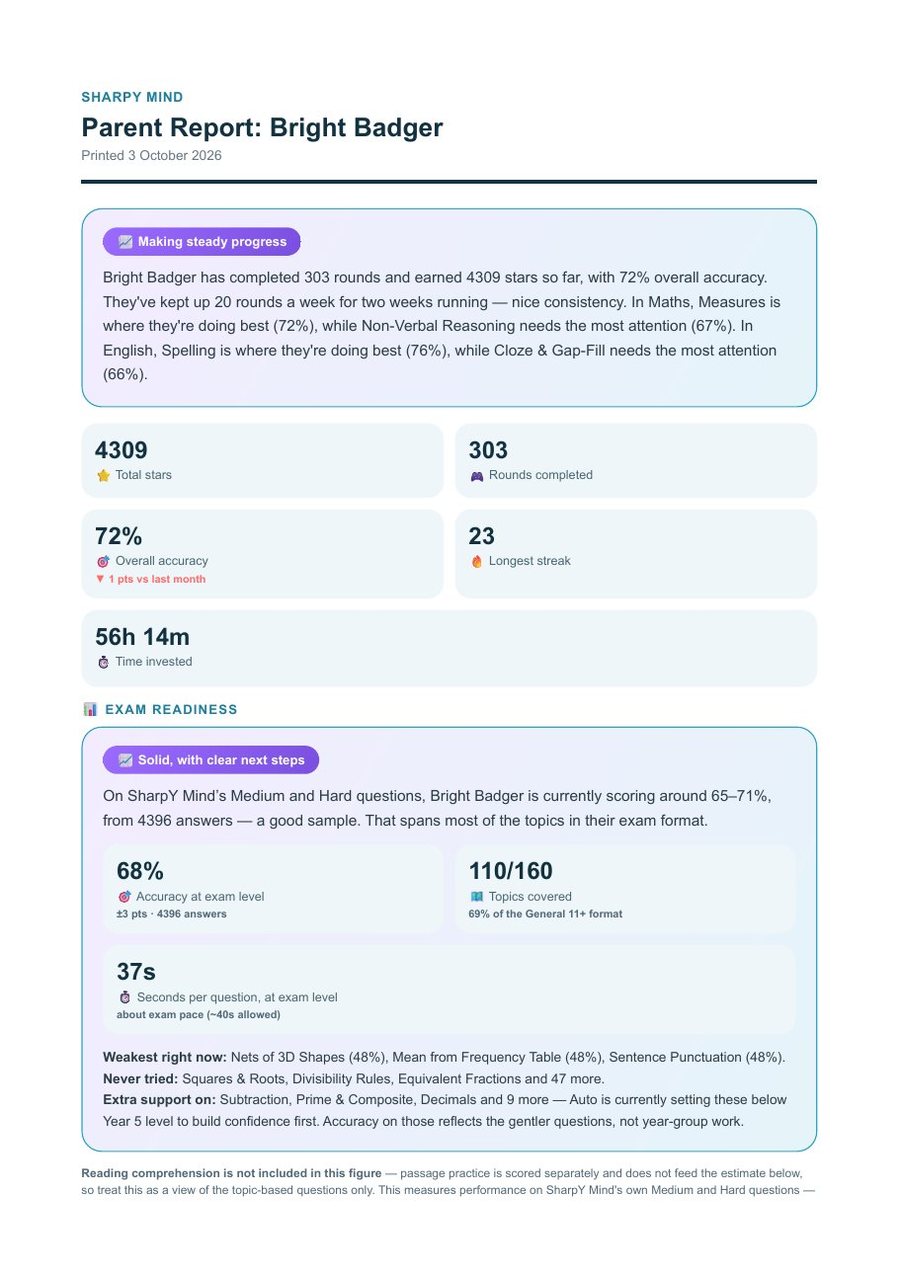
An honest report, even about what it doesn't know Premium
Accuracy and speed are measured separately, on exam-level questions only. When there isn't enough evidence yet, the report says so instead of guessing.
Accuracy at exam level, with a margin of error
Seconds per question against exam pace
Topics never tried or barely tested, named plainly
Free accounts can open a clearly labelled sample report
Practice that sticks
Races they want to win, mocks that feel real, paper for screen-free days
Rock Slam turns times tables into a 60-second race. Full Exam Papers rehearse the real thing with a timer. Printable worksheets come with a GL-style answer sheet.
Difficulty set per topic, aiming for about 72% right
Fix-It Five brings back their own mistakes until they get them right twice in a row
Maths, English, Verbal and Non-Verbal Reasoning: 150+ topics
🖨️ Print section
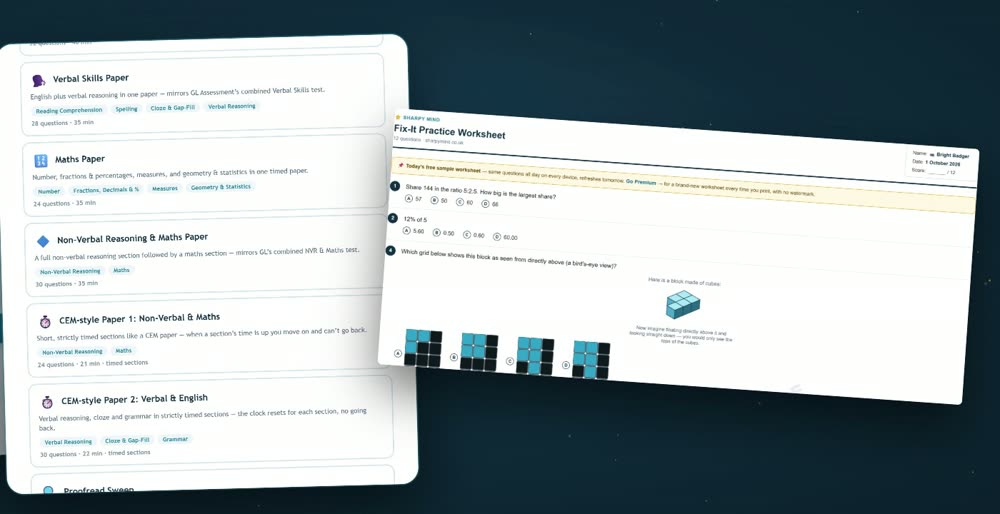
Screen-free practice, fresh every time
Print a GL-style worksheet with its own answer sheet and answer key, or print your child's Parent Report. Premium families get a brand-new worksheet on every print, with unlimited prints and no watermark.
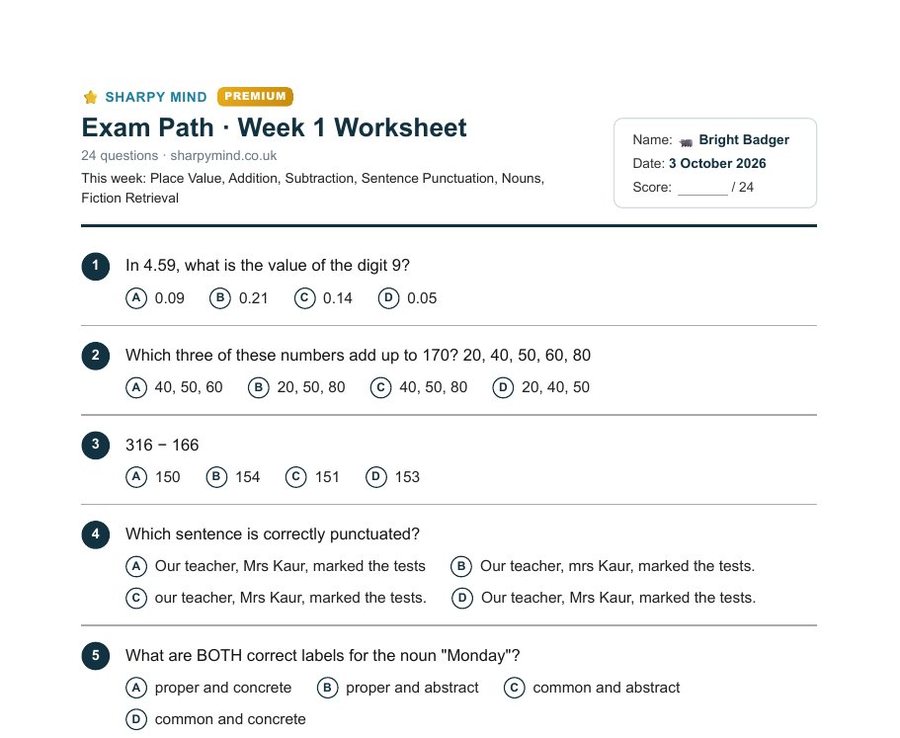
Weekly worksheet Premium: unlimited prints
The Exam Path "Print this week" sheet: 24 questions on this week's topics plus a look back, in exam-paper layout.
A new worksheet every time you print, any topic, any day
Clean, exam-ready pages with no watermark
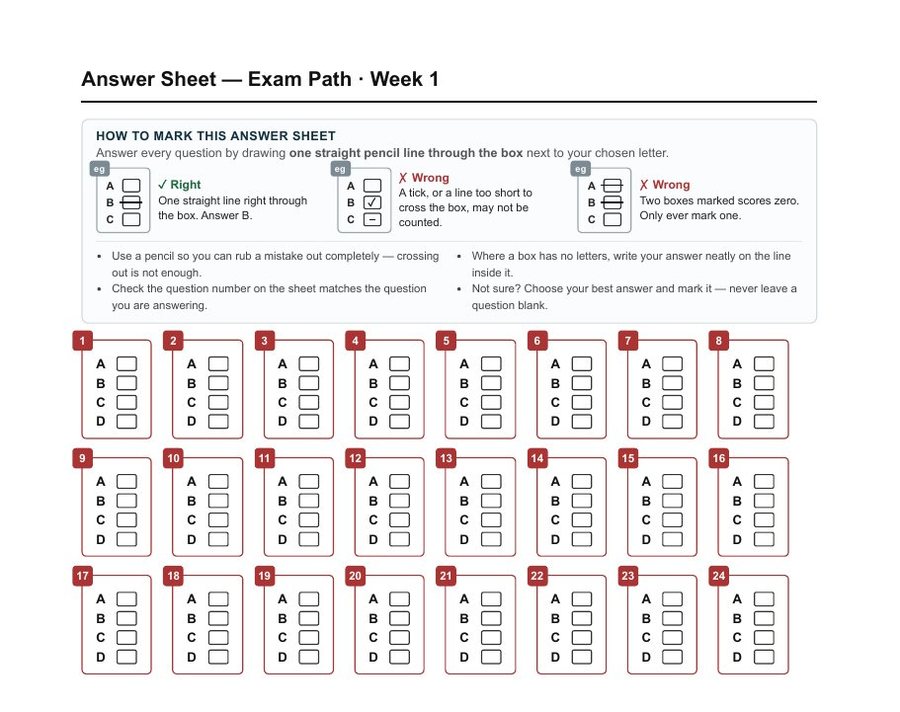
Includes an optical-mark answer sheet, and an answer key you can choose to print
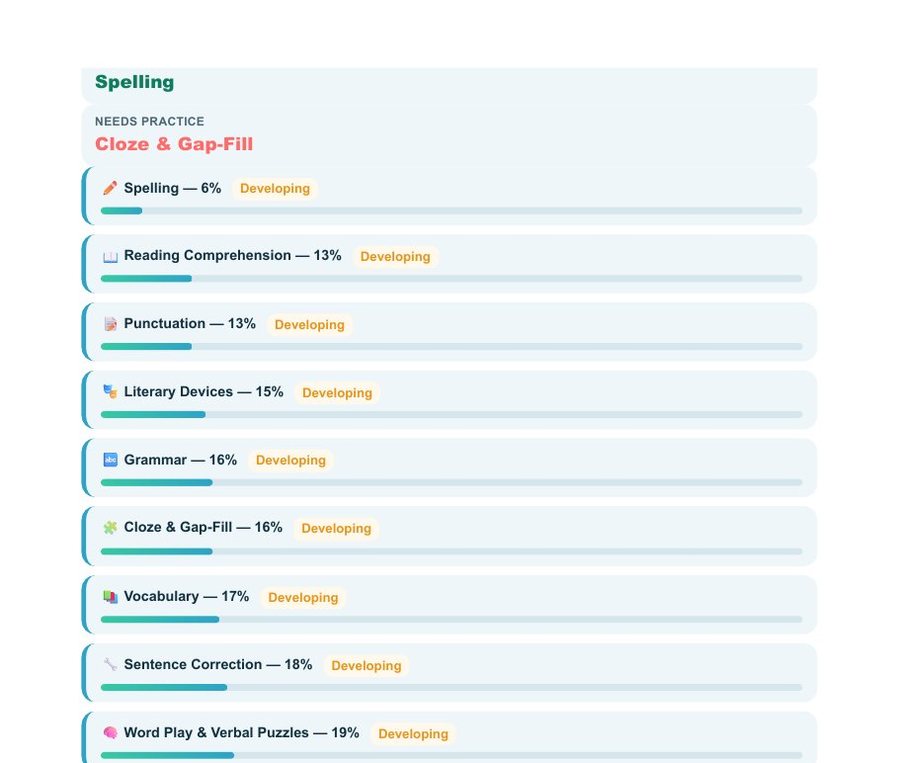
Both samples were made in the live app from the example profile used in the video ("Bright Badger", with sample practice history). They show the real layout, not a real child's results.
What's free, and what's Premium
You can start without an account and practise every day. Here is exactly what each plan includes.
Swipe the table sideways to compare plans →
No account
Free account
Premium
All subjects, topics, mock tests and speed drills
✓
✓
✓
3-minute lessons and answer summaries
✓
✓
✓
Daily practice questions
40 a day
Unlimited for 14 days, then 40 a day
Unlimited
Exam Path (plan to exam day)
Free for 14 days
Free for 14 days
Included
Printable worksheets
One watermarked sample a day
One watermarked sample a day
New sheet every print, unlimited, no watermark
Parent Report
Sample report
Sample report
Your child's real report, printable
Progress saved
On this device
Across all devices
Across all devices
Premium is a subscription, paid by card on Stripe's own secure checkout page. You can cancel any time and keep Premium until the end of the period you've paid for. See the plans inside the app.
No real namesChildren pick a nickname. We never ask for a name.
No trackingNo analytics and no tracking cookies on the site or the app.
No sign-up to startOpen it and practise. Progress stays on your device.
Years 3–5Built for the years before the exam, when practice still changes the outcome.
Questions parents ask
Is SharpY Mind free?
You can start free with no sign-up: 40 practice questions a day across every subject, plus the short lessons, mock tests and speed drills. A free account saves progress across devices and adds 14 days of unlimited practice. Premium removes the daily limit, prints a fresh worksheet every time, unlocks your child's real Parent Report, and keeps Exam Path going after its first 14 free days. The table above shows it all.
How does printing work?
On the free plan you can print one watermarked sample worksheet a day, with the same questions all day. With Premium, every print is a brand-new worksheet with no watermark, and there's no limit on how many you print. Each one comes with a lettered answer sheet, and you choose whether to print the answer key.
Which year groups is it for?
Years 3, 4 and 5. For most grammar schools the 11+ is sat in September of Year 6, so Year 5 is the final preparation year. Set the year your child is in now and the questions and topics follow.
Will it match my child's school?
Pick the target school and the app shows the topics that school's exam tests. For example, Sutton SET and Essex CSSE schools don't test Verbal or Non-Verbal Reasoning, so those topics are hidden. Not sure yet? "General practice" shows everything.
Is what I see in the video real?
Yes. Every screen in the video is the live app. It was recorded with an example child profile and sample practice history, so the reports have something to show.
What do you store about my child?
Without an account, nothing leaves your browser. With an account we store your email, your child's nickname, year group, chosen school and progress. We never ask for a real name, and there are no analytics or tracking cookies. Read exactly what we store.
Does it work on a phone or tablet?
Yes. SharpY Mind runs in the browser on a phone, tablet or computer, so there's nothing to install.
Know a parent who'd find this useful? Send them the link. It opens straight to the video.
sharpymind.co.uk/demo
Stop guessing. Start knowing.
Free to start, no sign-up. Takes two minutes to set up.
The demo, lessons, summaries and sample PDFs use an example profile with sample practice history. Readiness figures describe performance on SharpY Mind's own questions and are not a prediction of an exam mark. SharpY Mind is an independent practice app and is not affiliated with any school or exam board. Privacy policy · Home