How to go Premium: five simple steps
Your child can start practising straight away. Here is exactly what to do, and what you get.
Create your account and upgrade
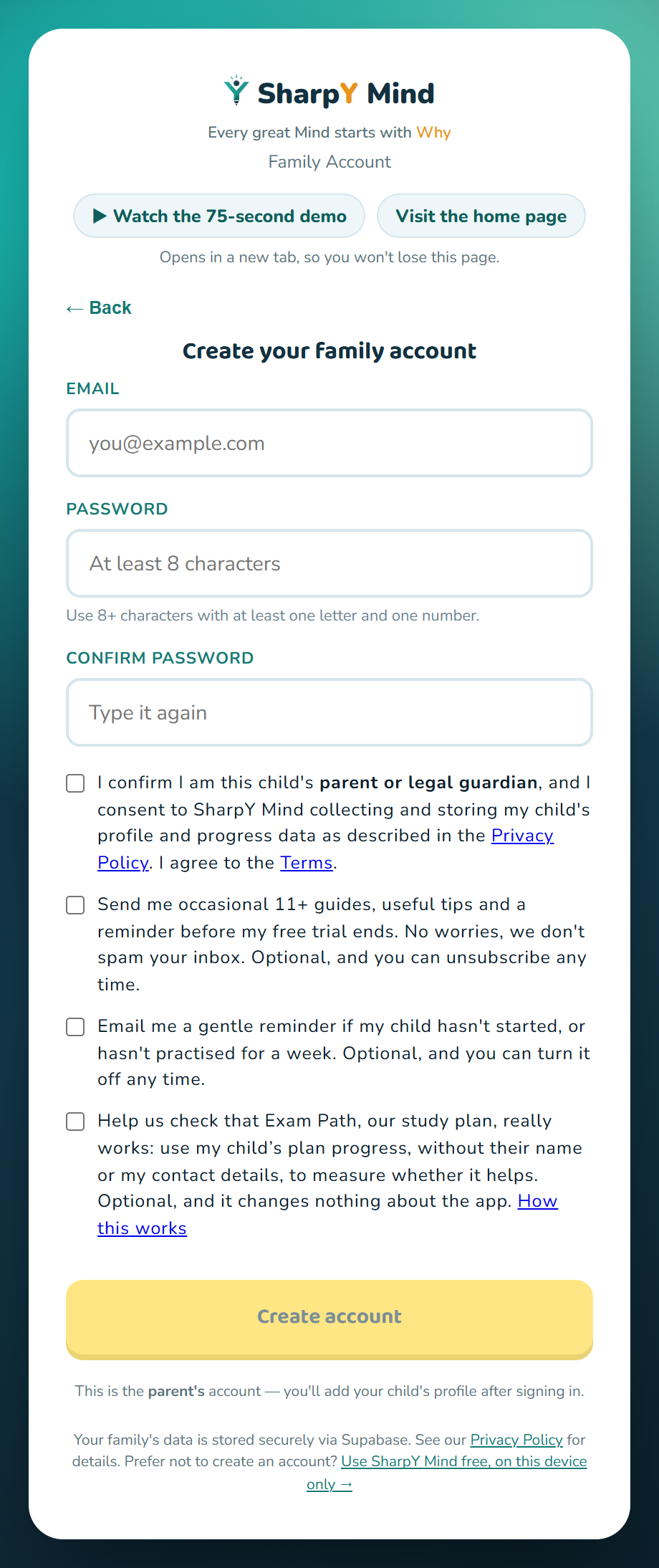
Choose "Create a family account"
Go to sharpymind.co.uk/login, enter your email and choose a password (8+ characters, with at least one letter and one number).
Confirm you are the parent or guardian
Tick the consent box. The other boxes (guides, reminders) are optional. Then press Create account.
Confirm your email
We send a confirmation link. Click it, return to the sign-in page and log in. Cannot see it? Check spam or junk, or email [email protected].
Open Premium and pick your plan
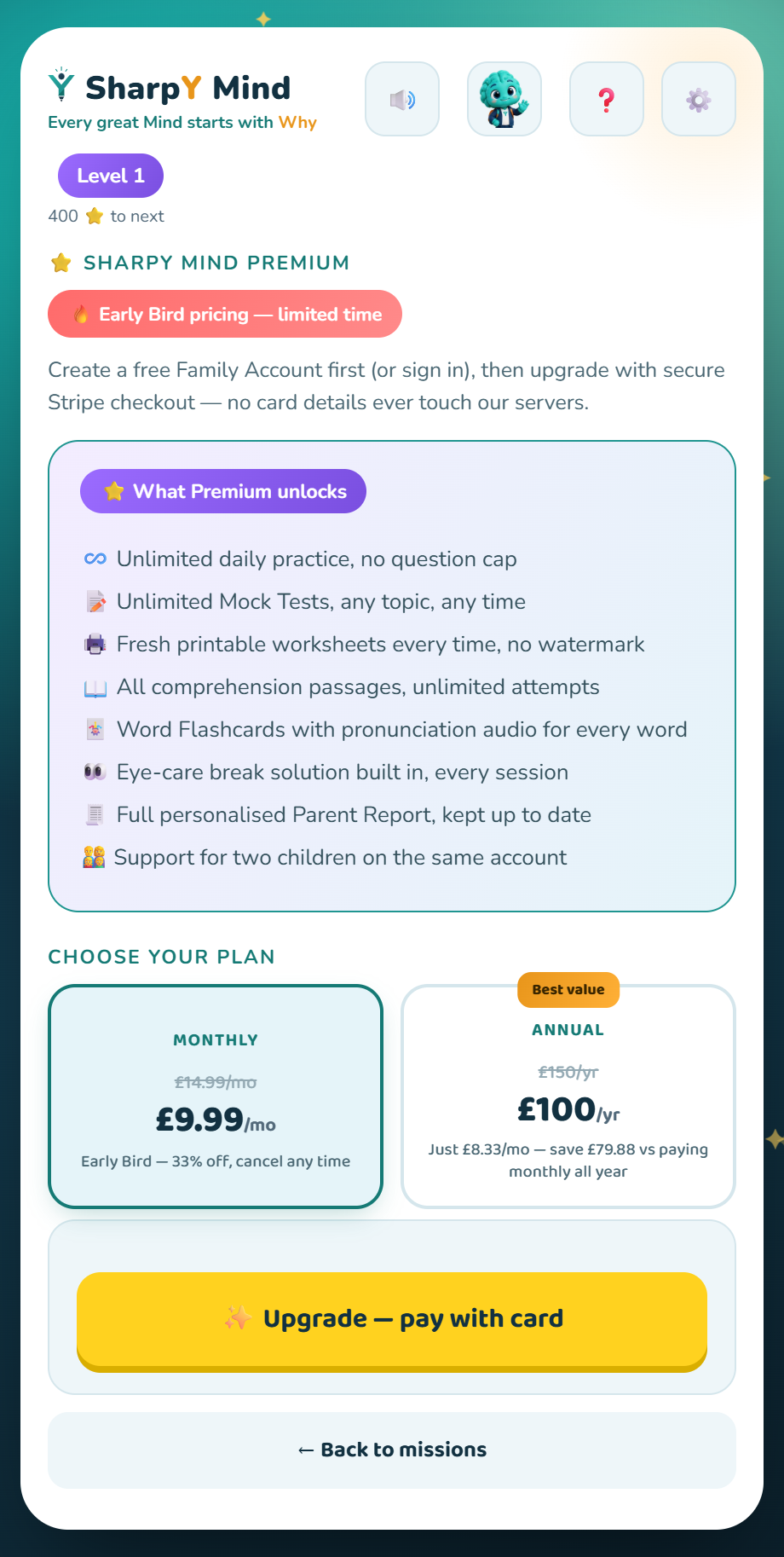
Once signed in you can upgrade in two places. In the app: tap Go Premium, choose Monthly or Annual, then press ✨ Upgrade — pay with card. On your Family page: tap Go Premium for the monthly plan, or the pay yearly link for the annual plan.
Pay securely with Stripe
You are taken to the secure Stripe checkout. SharpY Mind never sees or stores your card details. When payment completes you return to your account and Premium switches on within moments. You can cancel any time from your Family page and keep Premium until the end of the period you have paid for.
What Premium unlocks
Free accounts get a 14-day unlimited trial, then 40 questions a day. Premium removes the ceiling, so your child can practise as much as exam preparation demands.
Choose your plan
Early Bird: 33% off. Cancel any time.
Early Bird price — normally £149 a year. Just £8.25 a month. Save £20.88 against paying £9.99 a month for a year.
Early Bird prices shown; they may change. For children in Years 3 to 5 preparing for the 11+.
Lock in Early Bird pricing today
Early Bird is for a limited time. Questions? Email [email protected].